Social media avatars
Grid
The avatar must be suitable for use across all online platforms, such as Facebook, X, Instagram and YouTube. The design therefore takes both the square and circular shape of avatars into account. For recognisability, the UvA logo is positioned on the left. The right-hand side can be customised with a background colour from the colour palette and one or more letters for individual profiling. The more letters you use, the smaller the text will need to be due to the limited space available within an avatar.
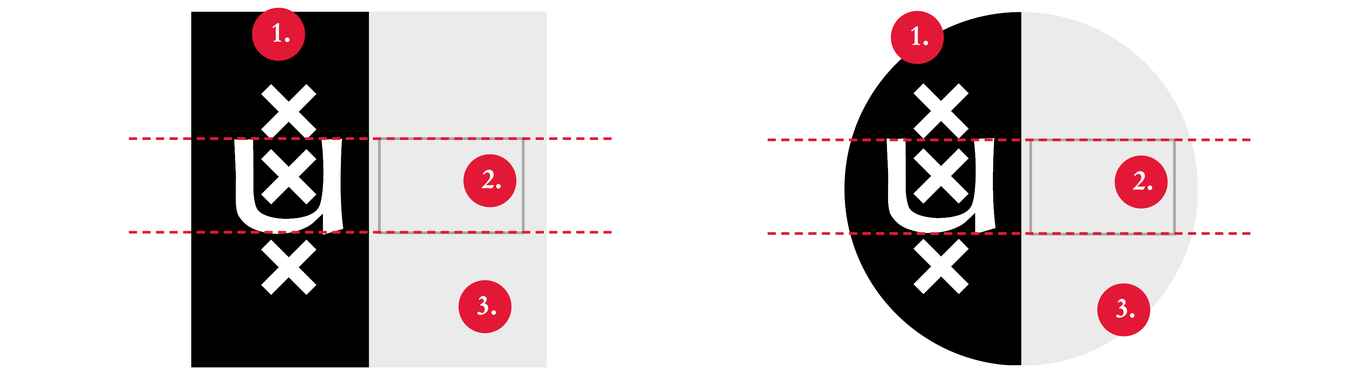
Tips for creating an avatar
- Avatars are often displayed at a small size. When choosing the text, keep the number of letters in mind. Use a minimum of 1 and a maximum of 7 letters for readability.
- The avatar is almost always displayed alongside the profile name. The text in the avatar therefore serves only as a supporting element for recognisability.
- When choosing the text for the avatar, think from the outside in. Which text will be most recognisable to an external audience?

Colour palette
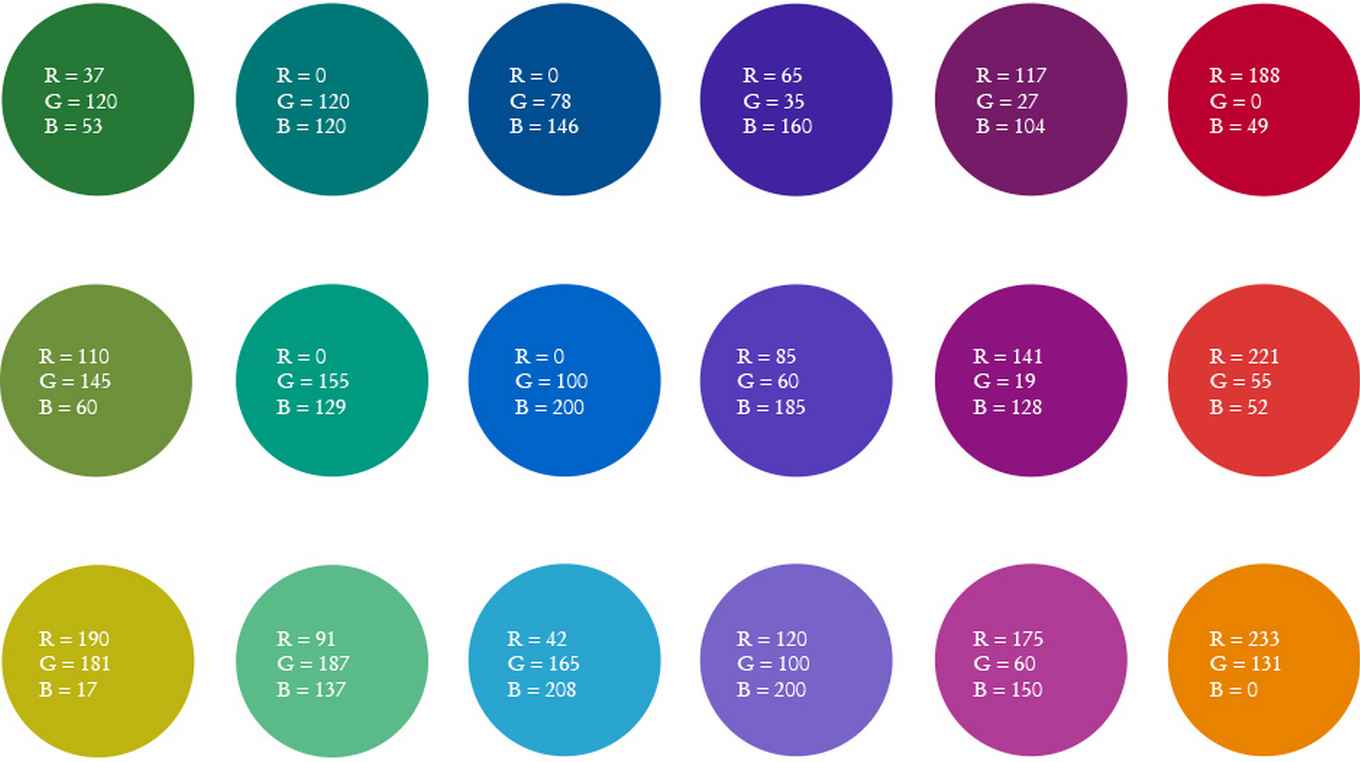
A dedicated colour palette is available to provide sufficient scope for individual profiling. The colours below can be used as background colours within the avatar. They are intended exclusively for use in social media avatars. For other communication materials you can use the UvA secondary colours.
UvA brand portal
The UvA Brand Portal makes it easy to create an avatar for a social media channel of a UvA unit.
Forgot your login details? Go to the de brand portal and request a new password. Would you like to register as a user? Please contact the UvA corporate identity coordinator.